
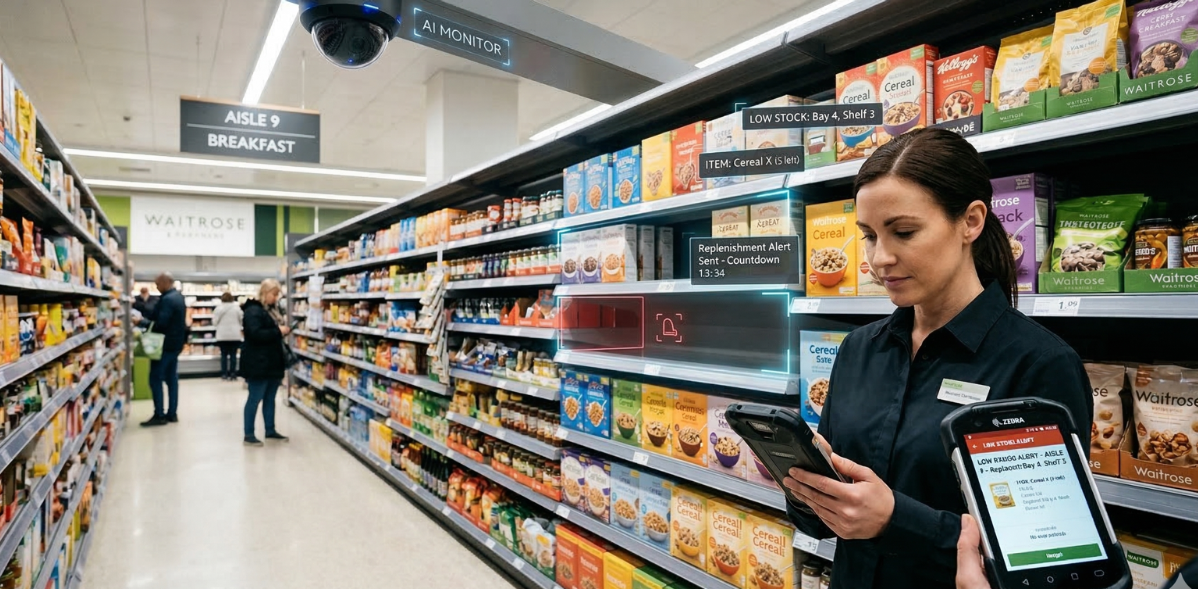
Low Stock or Out of Stock Detection
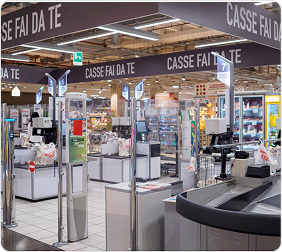
Security Gate Monitoring
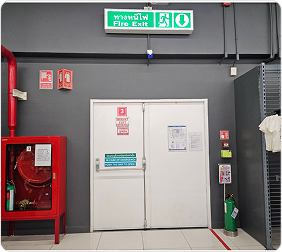
Fire Exit Monitoring
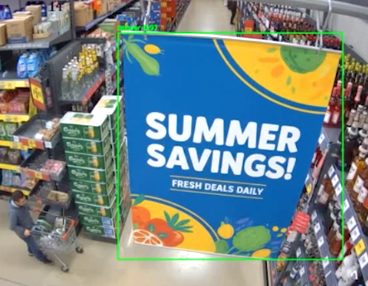
Camera Obstruction Alert
Produce Detection at Self-Checkout
Low Stock or Out of Stock Detection
Detailed view
On‑shelf availability remains one of the most critical drivers of retail performance. Even short‑lived stock gaps can result in lost sales, disappointed customers, and increased operational pressure on store teams. The Low Stock or Out of Stock feature of SAI Visual AI Platform is designed to address this challenge by continuously monitoring shelves in real time and identifying when products are running low or are fully out of stock.
Built specifically for real retail environments, the feature goes beyond simple empty‑shelf detection. It allows retailers to define where, when, and how low‑stock and out‑of‑stock conditions should be identified and escalated. Detection and alerting can be configured by category, fixture, shelf, or product group, with different thresholds and priorities applied based on business importance.
By combining visual AI with location‑ and context‑specific business rules, the platform helps retailers distinguish between genuine availability issues and expected, temporary gaps caused by replenishment activity, planogram changes, or normal trading patterns. The result is more accurate alerts, faster response from store teams, and stronger on‑shelf availability across the store.
Why the Low Stock or Out of Stock feature is important for retail stores
Out‑of‑stocks are rarely intentional, yet they remain a persistent challenge in physical retail. Traditional methods of identifying low stock—manual shelf walks, periodic audits, or point‑of‑sale signals—are often reactive, incomplete, or disconnected from what is happening on the shelf.
Key challenges faced by retailers include:
The Low Stock or Out of Stock feature directly addresses these challenges by providing a real‑time, shelf‑level view of availability, enabling store teams to act earlier and more effectively. Instead of discovering issues after sales are lost, retailers can intervene while there is still an opportunity to replenish, substitute, or redirect effort.
How the Low Stock or Out of Stock feature works
The Low Stock or Out of Stock feature is powered by SAI Visual AI Platform, which continuously analyses shelf images to understand real‑world shelf conditions.
Continuous Visual Monitoring
The platform monitors shelves in near real time, identifying when product
facings fall below defined thresholds or disappear entirely. Rather than relying
solely on inventory records or sales data, the system focuses on what
is visible to the shopper, providing a direct measure of on‑shelf
availability.
Configurable Detection Logic
Detection can be configured at multiple levels, including:
This flexibility allows retailers to apply different rules depending on the importance of the item or location. For example, high‑demand or high‑margin lines can be monitored with tighter thresholds and faster alerting, while lower‑priority categories can operate with more tolerant settings.
Context‑Aware Business Rules
Retail stores comprise dynamic environments. Temporary gaps can occur due to replenishment cycles, planogram resets, promotions, or time‑of‑day trading patterns. The platform supports location and context‑specific business rules, allowing the alerting logic to reflect how each store operates.
This means retailers can:
- • Suppress alerts during known replenishment windows
- • Apply different rules for back‑of‑store vs. front‑of‑store locations
- • Adjust behavior based on store format or trading profile
By automatically applying the appropriate logic, the platform helps ensure that alerts are meaningful and actionable rather than disruptive.
Intelligent Alerting
Once a genuine low‑stock or out‑of‑stock condition is identified, alerts are generated based on the configured priorities and thresholds. This helps store teams focus on the most critical availability issues first, improving response time and operational efficiency.
FAQ
Low stock and out‑of‑stock conditions are defined by retailer‑configured thresholds. These can vary by category, shelf, or product group depending on business priorities.
The feature is based on visual AI analysis of shelf conditions, focusing on what is physically present and visible on the shelf rather than relying solely on back‑end data.
Yes. High‑demand or high‑margin products can be configured with tighter thresholds and faster alerting, while lower‑priority items can use more tolerant settings.
The platform supports location‑ and context‑specific business rules that account for replenishment activity, planogram changes, and normal trading patterns, helping distinguish genuine issues from expected gaps.
Yes. Detection logic and business rules can be adapted to different store layouts, formats, and operational practices, making the feature suitable for a wide range of retail environments.